
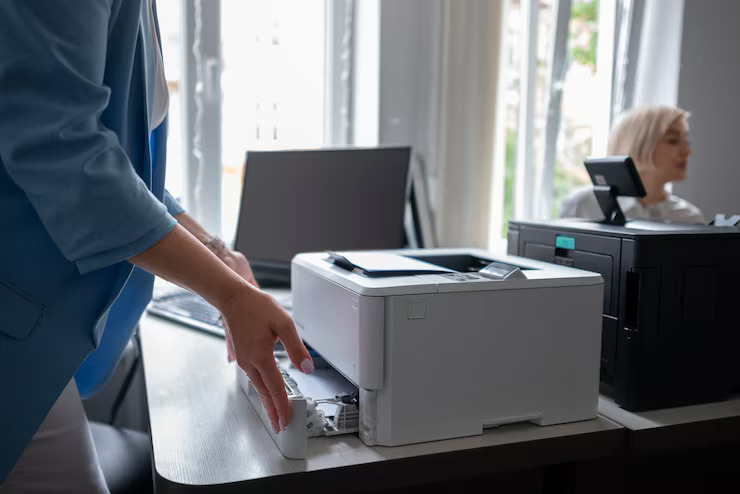
In today’s fast-paced business environment, having the right office printer is more than just a convenience — it’s a critical part of your team’s productivity. From printing client proposals and invoices to scanning, copying, and even cloud integration, modern printers have evolved far beyond basic printing. But with so many models and features available in 2025, how do you choose the perfect device for your office?
This comprehensive Office Printer Buying Guide 2025 will walk you through the essential factors to consider before investing in a printer for your business.
1. Understand Your Office Printing Needs
Before diving into specs and brands, start by identifying how your office will use the printer. Consider the following questions:
- Print Volume: How many pages do you print per month?
- Type of Documents: Are you mostly printing text documents, or do you need high-quality graphics and images?
- Functionality: Do you need scanning, copying, and faxing capabilities?
- Users: Will the printer serve a small team or a large department?
- Location: Do you need a compact desktop model or a heavy-duty floor-standing machine?
✅ Pro Tip: For small businesses or startups with low printing needs, a compact all-in-one printer is ideal. Larger offices with high-volume tasks may benefit from enterprise-level laser printers.
2. Choose Between Inkjet and Laser Printers
The biggest decision you’ll make is whether to go with an inkjet or a laser printer. Here’s how they compare:
| Feature | Inkjet Printers | Laser Printers |
|---|---|---|
| Best for | High-quality color prints, photos, and graphics | High-volume text printing |
| Print Speed | Moderate | Fast |
| Print Quality | Excellent for images | Excellent for text |
| Cost per Page | Higher | Lower |
| Initial Cost | Usually lower | Higher |
| Maintenance | Frequent cartridge changes | Less frequent toner replacement |
✅ Recommendation:
- Inkjet: Great for creative agencies, marketing teams, and design-focused offices.
- Laser: Perfect for law firms, financial services, or any business that prioritizes speed and bulk printing.
3. Consider Multifunction (All-in-One) Printers
Most offices today prefer multifunction printers (MFPs) — devices that combine printing, scanning, copying, and faxing in one unit. This not only saves space but also simplifies workflow and reduces equipment costs.
Look for MFPs with:
- Automatic Document Feeder (ADF): For fast scanning and copying.
- Duplex Printing: Double-sided printing to save paper.
- Cloud & Mobile Printing: Integration with services like Google Drive, OneDrive, and AirPrint.
- Touchscreen Controls: For easier navigation and customization.
4. Pay Attention to Print Speed and Duty Cycle
Speed and durability are crucial for busy offices.
- Print Speed: Measured in pages per minute (ppm). A good office printer should offer at least 20-40 ppm for text documents.
- Duty Cycle: The maximum number of pages the printer can handle per month. Choose a model with a duty cycle 30-50% higher than your expected volume to ensure longevity.
5. Connectivity and Cloud Integration
Today’s printers are smarter and more connected than ever. Make sure your office printer supports modern connectivity features like:
- Wi-Fi & Ethernet: For seamless sharing across multiple users.
- Mobile Printing: Print directly from smartphones and tablets via apps or NFC.
- Cloud Printing: Send jobs from anywhere using services like Google Cloud Print or manufacturer-specific apps.
- Security Features: Look for PIN printing, data encryption, and secure login options — especially if you handle sensitive documents.
6. Total Cost of Ownership (TCO)
Don’t just focus on the upfront cost. Consider the total cost of ownership, which includes:
- Replacement cartridges or toner
- Maintenance kits and drum units
- Paper usage and power consumption
✅ Tip: A slightly expensive printer with a lower cost per page might save you more in the long run than a cheap model with expensive consumables.
7. Brand Reliability and Support
Stick to trusted brands that offer reliable customer service, warranty options, and readily available supplies. Some of the best office printer brands in 2025 include:
- HP: Reliable, enterprise-ready solutions with advanced security features.
- Canon: Excellent print quality and versatile all-in-one devices.
- Brother: Cost-effective printers with low operating costs.
- Epson: EcoTank series with refillable ink tanks for ultra-low printing costs.
- Ricoh & Xerox: Heavy-duty solutions for large enterprises.
8. Future-Proof Features to Look for in 2025
Printers are getting smarter and more energy-efficient. If you’re investing for the long term, consider:
- AI-powered print management – for predictive maintenance and optimized workflows.
- Voice assistant integration – for hands-free printing and status updates.
- Sustainable printing options – like eco modes, recycled cartridges, and automatic power-saving features.